Refresh
One place to find training and plan your growth.
An internal learning hub I designed and built for Pfizer colleagues, bringing training from across the business into curated learning paths, a full catalog and a personal learning plan.
- UX design
- Information architecture
- Content design
- Front-end development

The Challenge
Colleagues struggled to find elective training. It was scattered across sources and teams, so finding something useful meant already knowing where to look, and engagement in self-directed learning was low.
The Solution
I designed and built a single learning hub on SharePoint: learning paths by area, a full A–Z catalog, live training, and a builder for a personal learning plan. I worked in an agile way with medium-fidelity prototypes, so content could be curated while development continued.
Responsibilities
Make the right training easy to find.
- UX/UI design
- Information architecture
- Content design
- Microcopy and UX writing
- Branding and presentation design
- High-fidelity rapid prototyping
- Web design and development
- Stakeholder management
Tools & Technologies
- Adobe Creative Cloud
- Webflow
- Visual Studio Code
- SharePoint
- HTML
- CSS
- JavaScript
The Outcome
Refresh was supported from 2017 until it was retired in 2022.
From prototype to learning hub
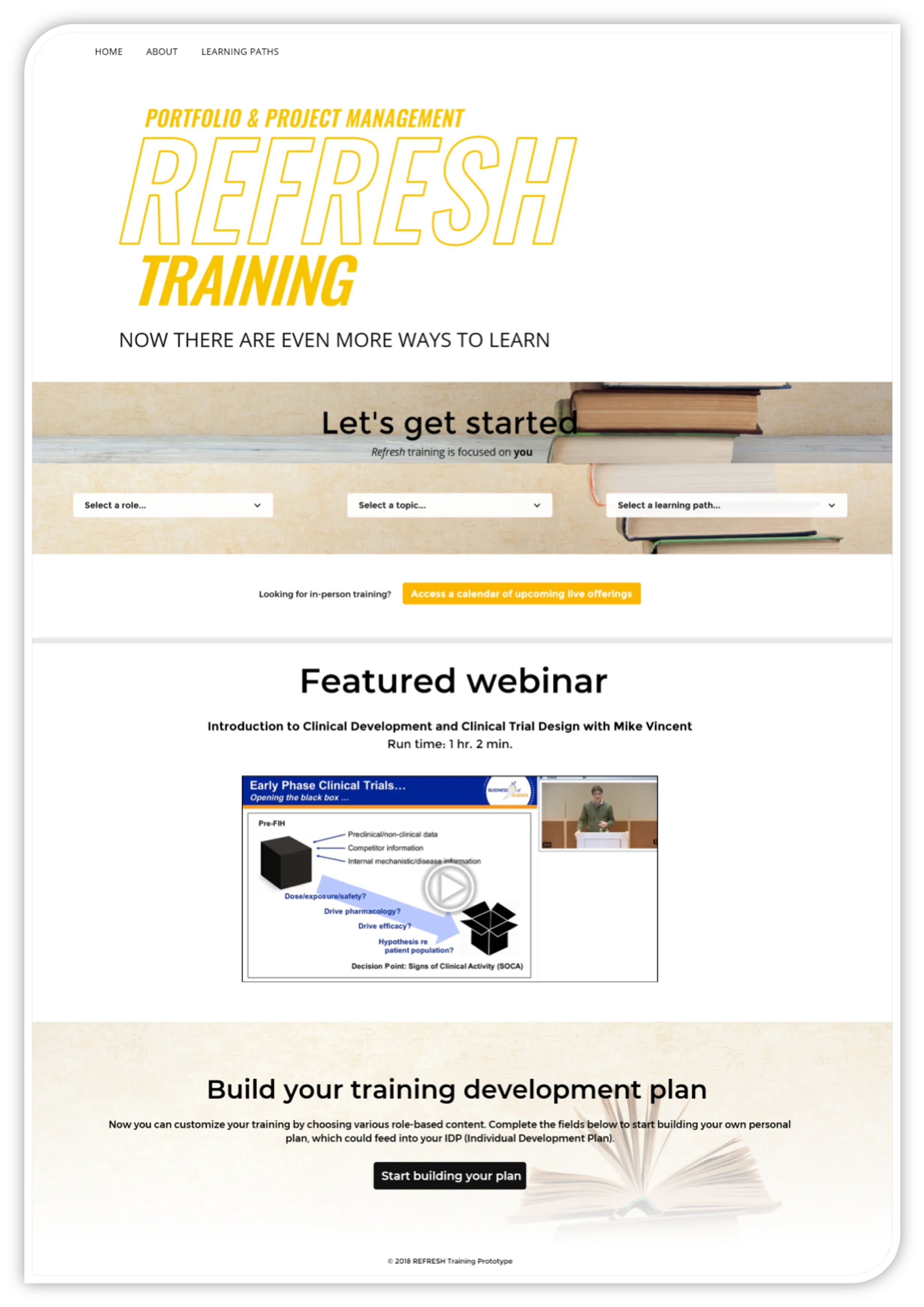
The 2018 prototype was scoped to one area of the business. It let colleagues choose by role, topic or learning path, highlighted a featured webinar, and turned their picks into a training plan that fed their individual development plan.
Organizing everything else

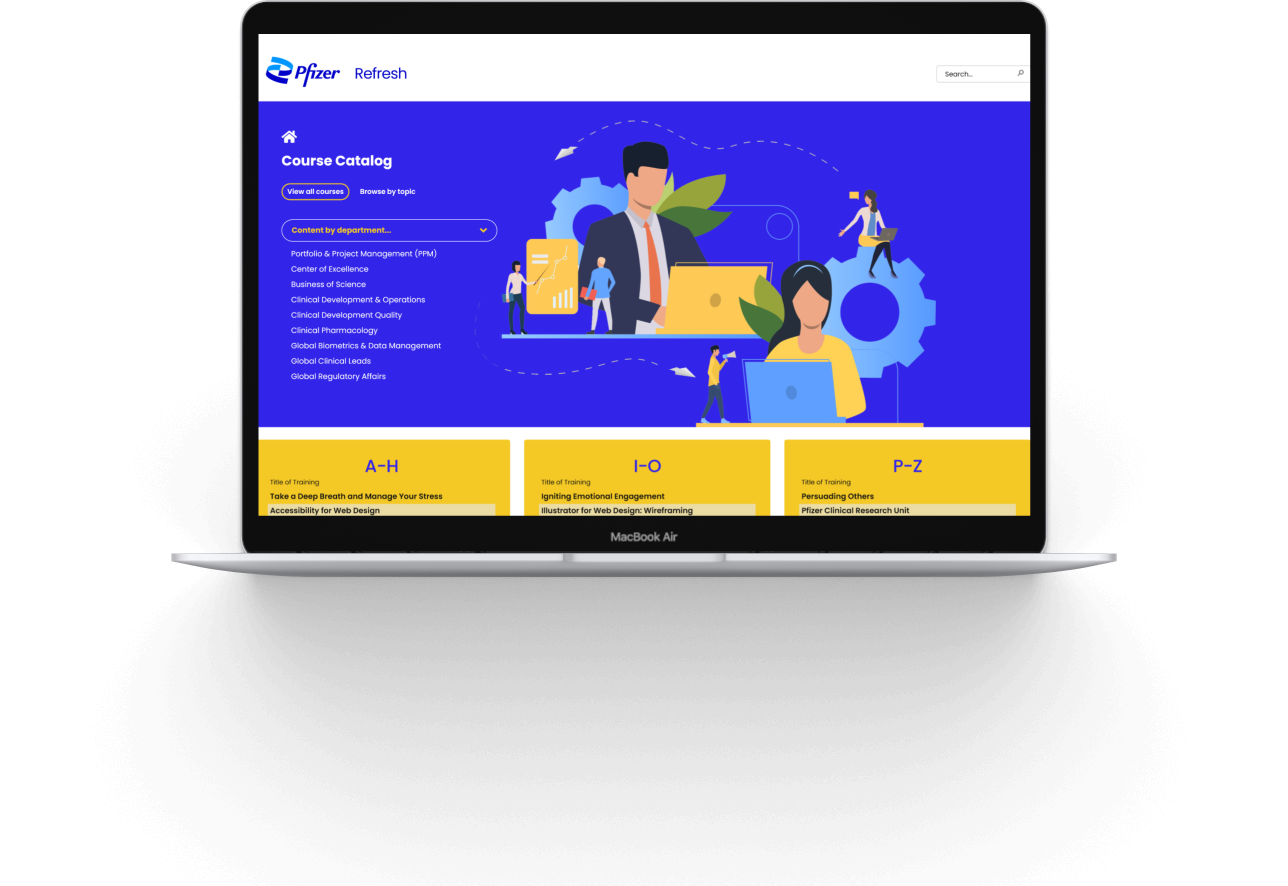
- Later versions opened the hub to the wider business, with “Create your learning plan,” a therapeutic area academy, live training and a filter for content by department.
- Navigation was organized into three areas, Business Skills, Clinical & Scientific, and Technology, with a “Show me the full A–Z catalog” escape hatch for people who know what they want.
Want the full story?
I'm happy to walk through this project, the decisions behind it, and what I'd do next.