GitHub, Explained Simply
How Git and GitHub work, written so plainly a fifth grader could follow, and told three ways.
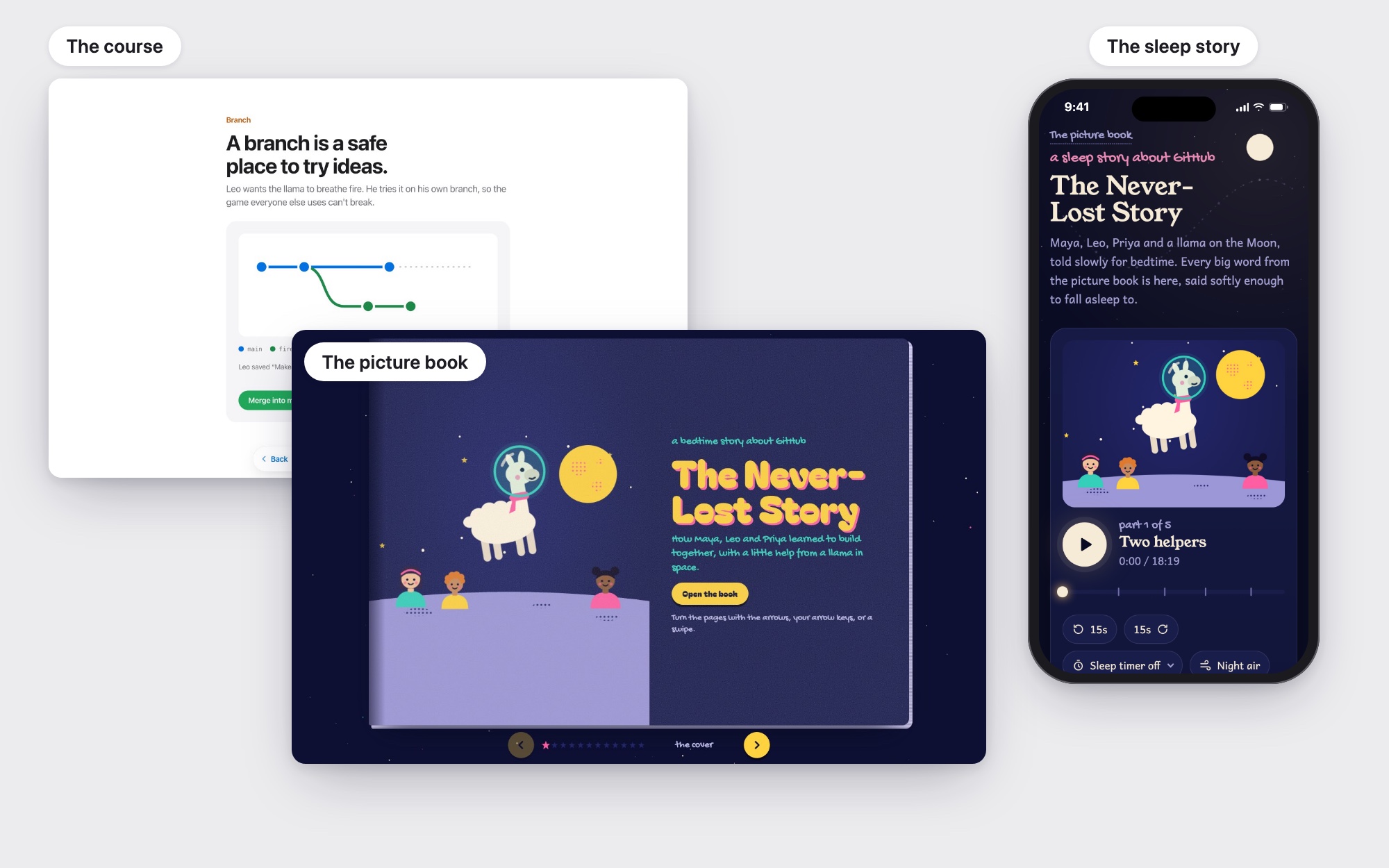
An explanation of how Git and GitHub work for designers, product managers, marketers and anyone else who works alongside developers but never learned the tools. It’s written at a fifth-grade reading level and told three ways: a focused 15-minute course, an illustrated picture book and an 18-minute sleep story.
- Plain-language writing
- Instructional design
- Interaction design
- Illustration
- Voice and audio design
- UX writing
- 3Ways to learn it
- 12Concepts, in order
- 26Git terms explained
- 5thGrade reading level
The Challenge
Git and GitHub run how software gets built, but their words shut out everyone who doesn’t write code. Designers, product managers and marketers hear repository, commit, branch, pull request and merge conflict every day, and nod along. Most explanations assume you already code, or bury the ideas under commands. I wanted an explanation a non-technical colleague could get through in one sitting, so I set the bar at a fifth-grade reading level: if a ten-year-old could follow it, nobody would get lost.
The Solution
I wrote one plain-language explanation built on a story: three friends make a game about a llama on the Moon, and learn to build it together without losing anyone’s work. Then I told it three ways, for three ways of learning: a focused course with one idea per screen, an illustrated picture book where every idea is a scene to play with, and a narrated sleep story to listen to with your eyes closed. All three cover the same 12 concepts in the same order, with the same characters, comparisons and glossary.
Responsibilities
One explanation, three ways in.
- Plain-language writing
- Story and UX writing
- Instructional design
- Interaction design
- Illustration and visual design
- Voice and audio design
- Accessibility
- Front-end development
Tools & Technologies
Design
- Apple Human Interface principles
- Risograph-style SVG illustration
- Design tokens
Build
- HTML, CSS & JavaScript
- Spring physics & Web Animations
- AI-assisted implementation
Audio
- ElevenLabs voice design & narration
- ElevenLabs Music
- Synthesized ambient loops
The Outcome
All three formats are live and work on a phone with no sign-in. Next, I want to put them in front of non-technical colleagues to learn which format helps which people, and which ideas still trip them up.
Who it’s for
The readers are adults who work next to developers: designers handing off files, product managers reviewing pull requests, marketers asked to “just update the README.” They’re smart and busy, and they don’t want a coding tutorial.
- They need the ideas, not the commands. Nobody here has to type a Git command, but they do need to know what someone means when they say “rebase onto main.”
- Plain words lower the stakes. Writing at a fifth-grade reading level isn’t talking down: short sentences and everyday comparisons let an expert skim and a newcomer keep up.
- They’ll keep hearing the real words at work, so I never swap them out. Each term appears by its real name, then gets explained.
- Abstract ideas need something familiar to hold onto. A commit is a save point in a video game. A branch is a safe copy to try an idea on. A pull request is a letter that asks, “Can we add this?”
- They believe what they see. If a demo shows Git doing something it never would, they learn the wrong thing.
The fifth-grade bar was a test for every sentence, not a description of the reader: could a ten-year-old follow this? If so, a busy adult could too.
One story, three ways in
People learn in different ways and at different moments, so I told the same story three times instead of picking one format.
- The course is for a focused 15 minutes at a desk, with one idea per screen and something to tap on each.
- The picture book is for learning by playing, where every idea is a scene you can poke at.
- The sleep story is for listening with your eyes closed, the last thing you hear at night.
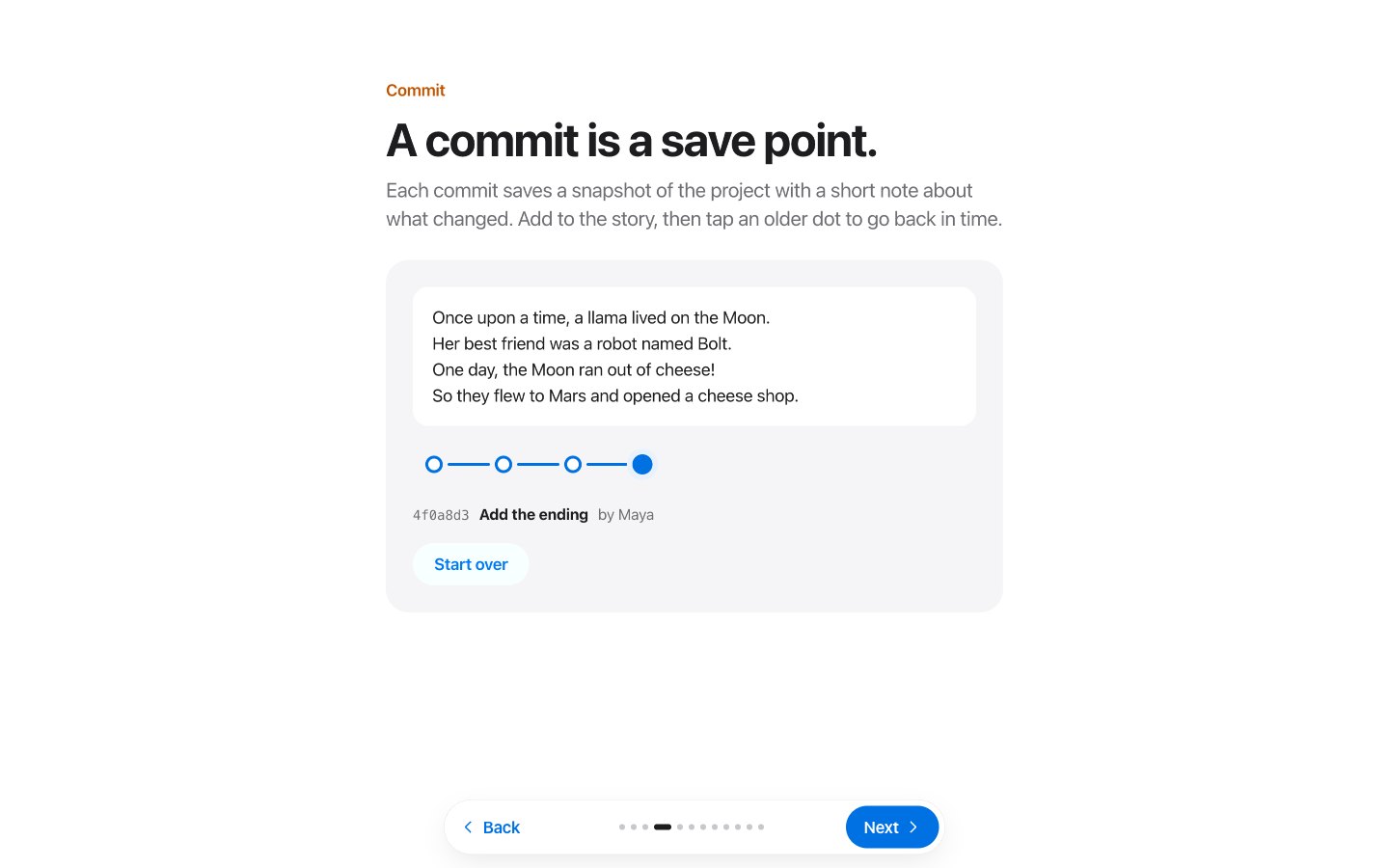
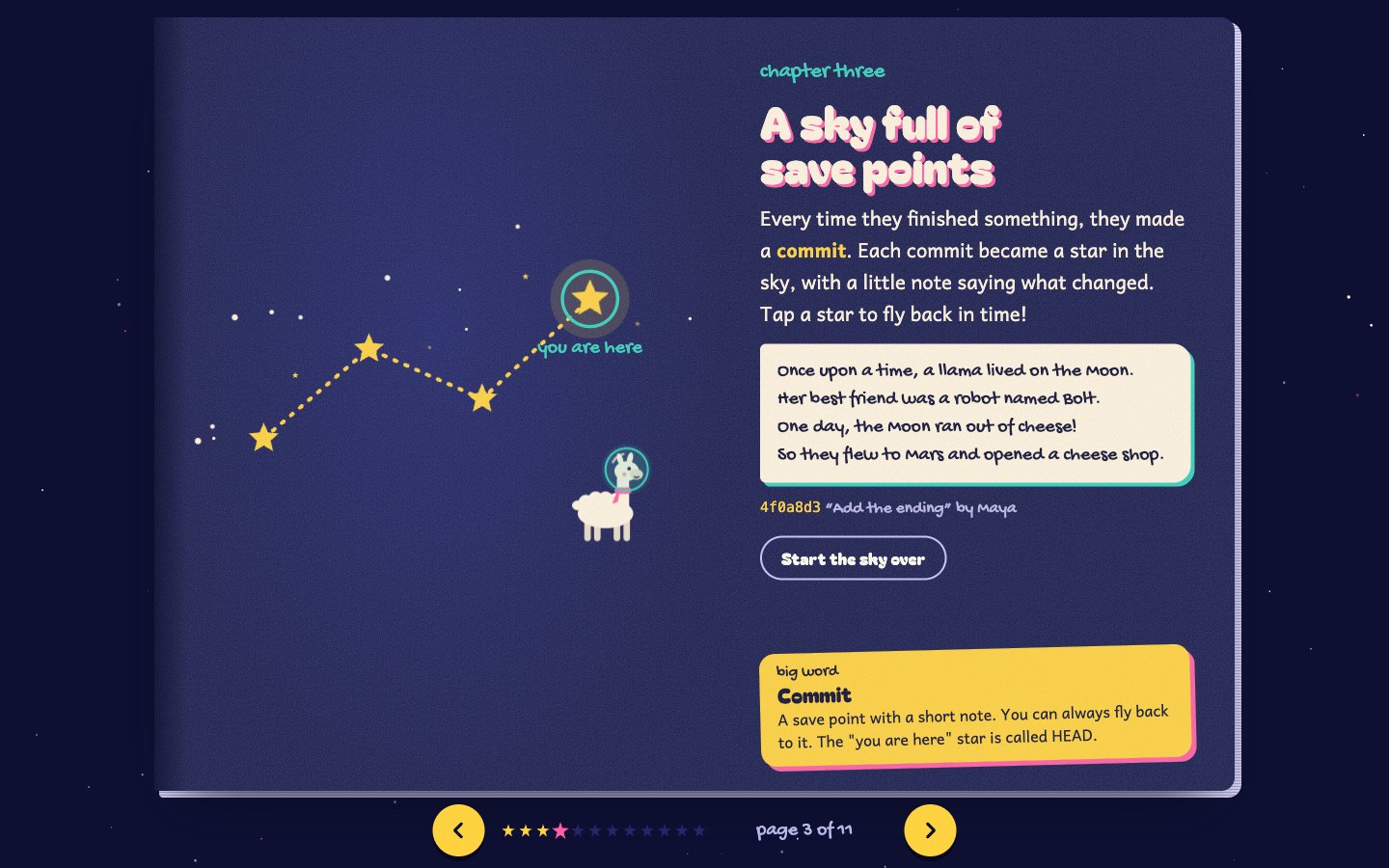
- The same 12 concepts in the same order, from Git and GitHub to pushing and pulling
- The same story and characters: Maya, Leo, Priya, Bolt the robot and a llama in space
- The same comparisons, so a commit is always a save point and a branch always a safe copy
- The same 26-word glossary, with rebase, fast-forward, squash and prune alongside the basics
- Only the telling changes: layout, typography, illustration, motion, sound and tone of voice.
The course: one idea at a time
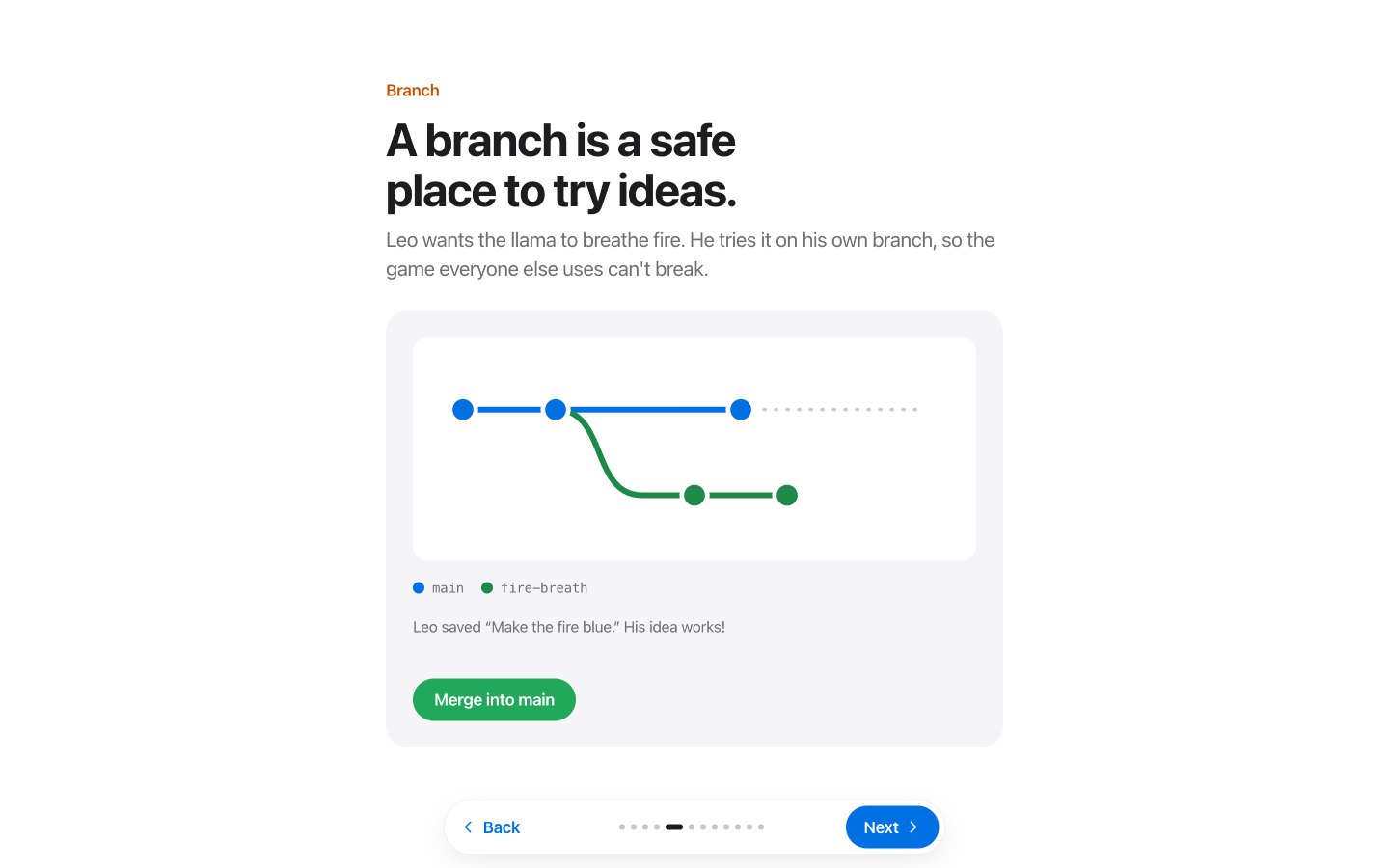
My first draft packed seven lessons onto busy pages with graph paper, sticky notes and a lot of text. It was too cluttered and confusing, so I rebuilt it from scratch around Apple’s design principles.
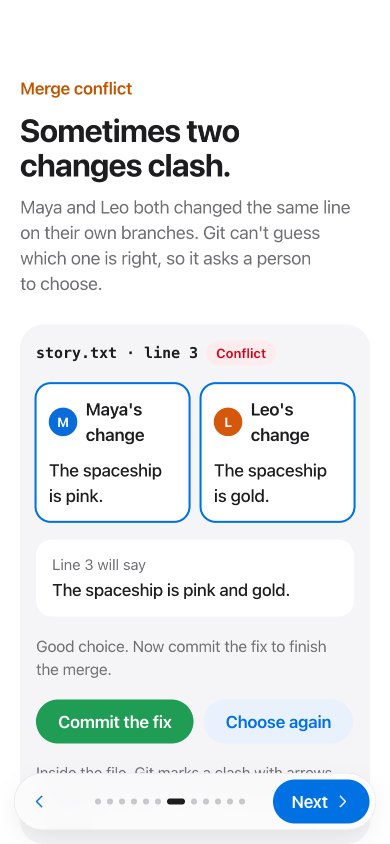
- One idea per page across twelve pages, turned with a swipe, the arrow keys or a floating Back and Next bar.
- Each demo has a single button that says what happens next, like “Make a branch” or “Merge into main,” so you never wonder where to tap.
- Pages follow your finger and can be grabbed mid-turn. Motion shows cause and effect, and it softens to a fade when reduced motion is on.
The picture book: learning by playing
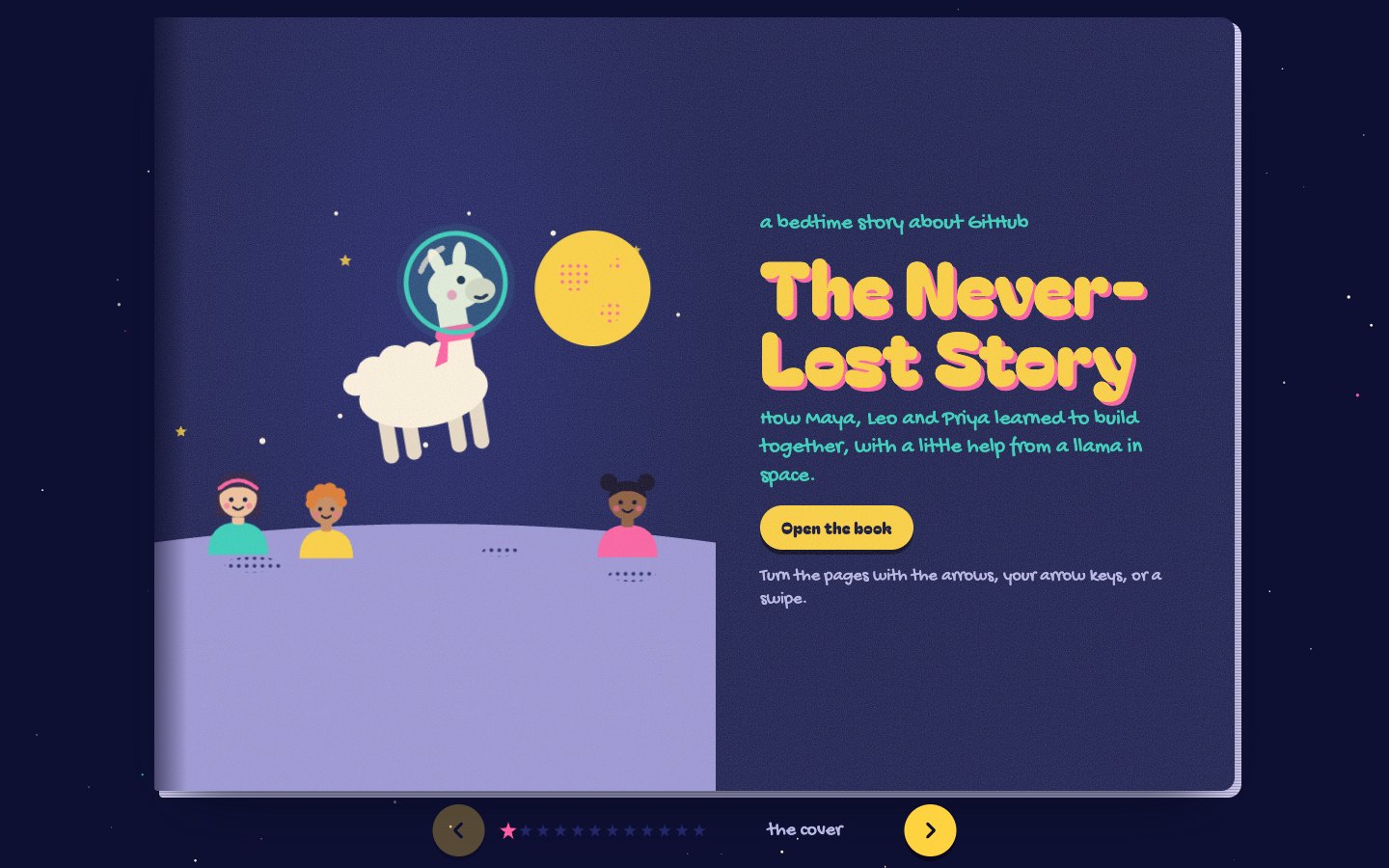
The picture book tells the same story on the Moon. A picture book lowers the stakes: nobody feels behind while reading one, and a scene you can play with sticks better than a definition.
- A risograph print style: deep night pages, three bright inks with a slight offset, and paper grain.
- Chunky storybook headlines, with body text in Andika, a typeface designed to be easy to read.
- Pages turn like a real book, with a shadow that moves as the page lifts.
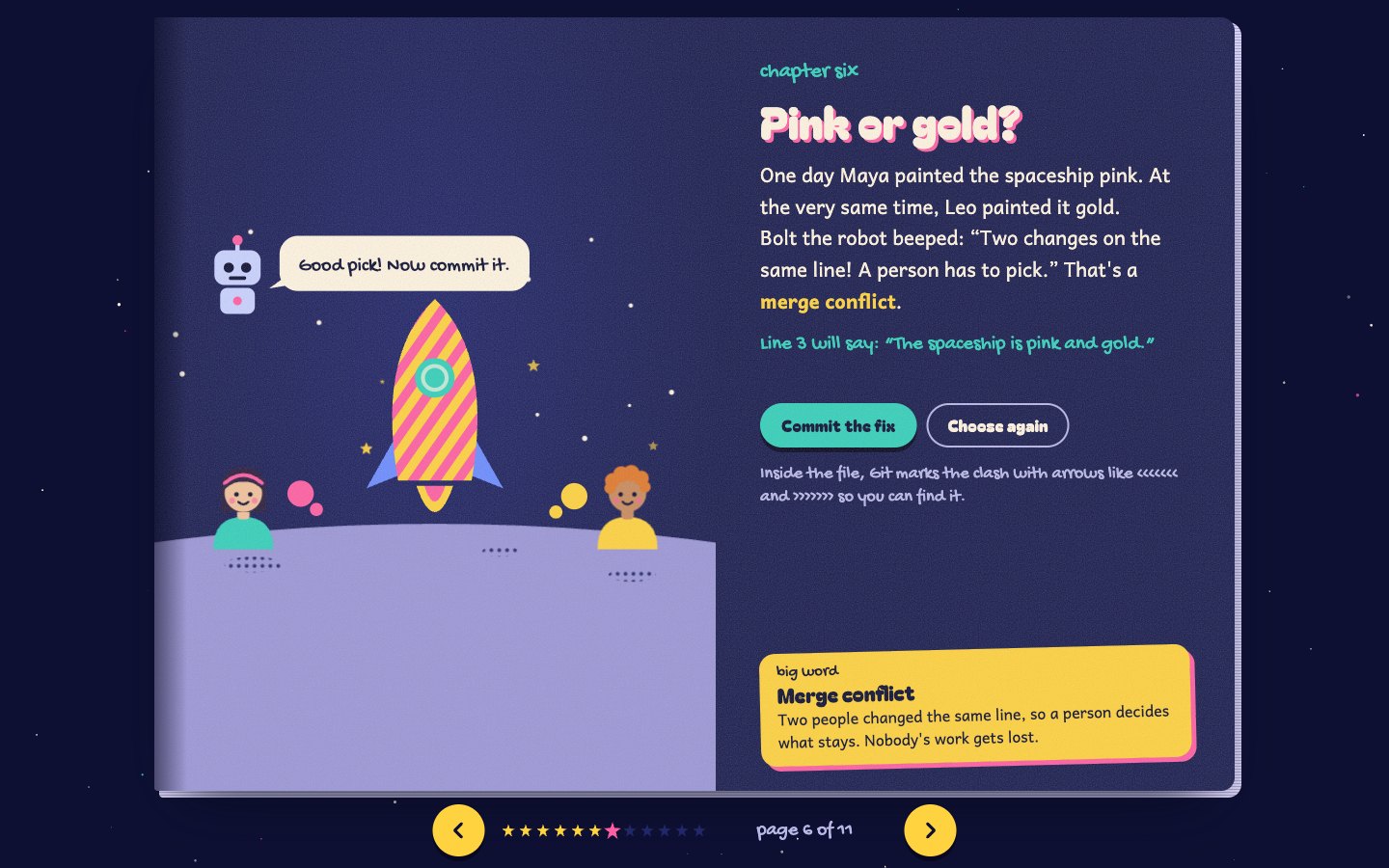
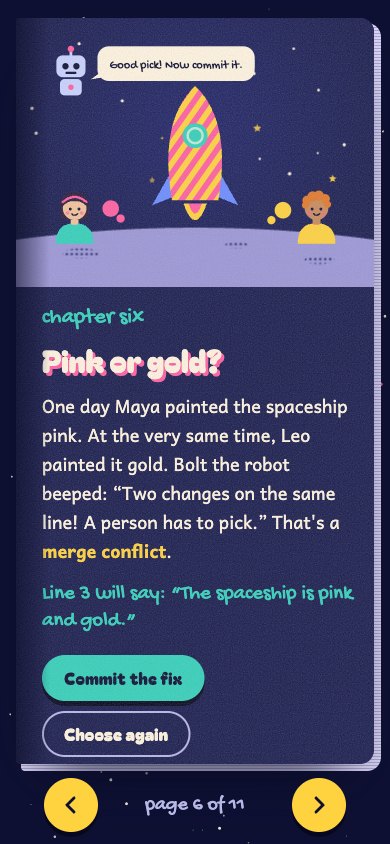
- Every concept is a scene to play with. Commits become stars in a constellation, a pull request is a paper airplane Priya stamps “YES!”, and you paint a spaceship to settle a merge conflict.
The sleep story: learning with your eyes closed
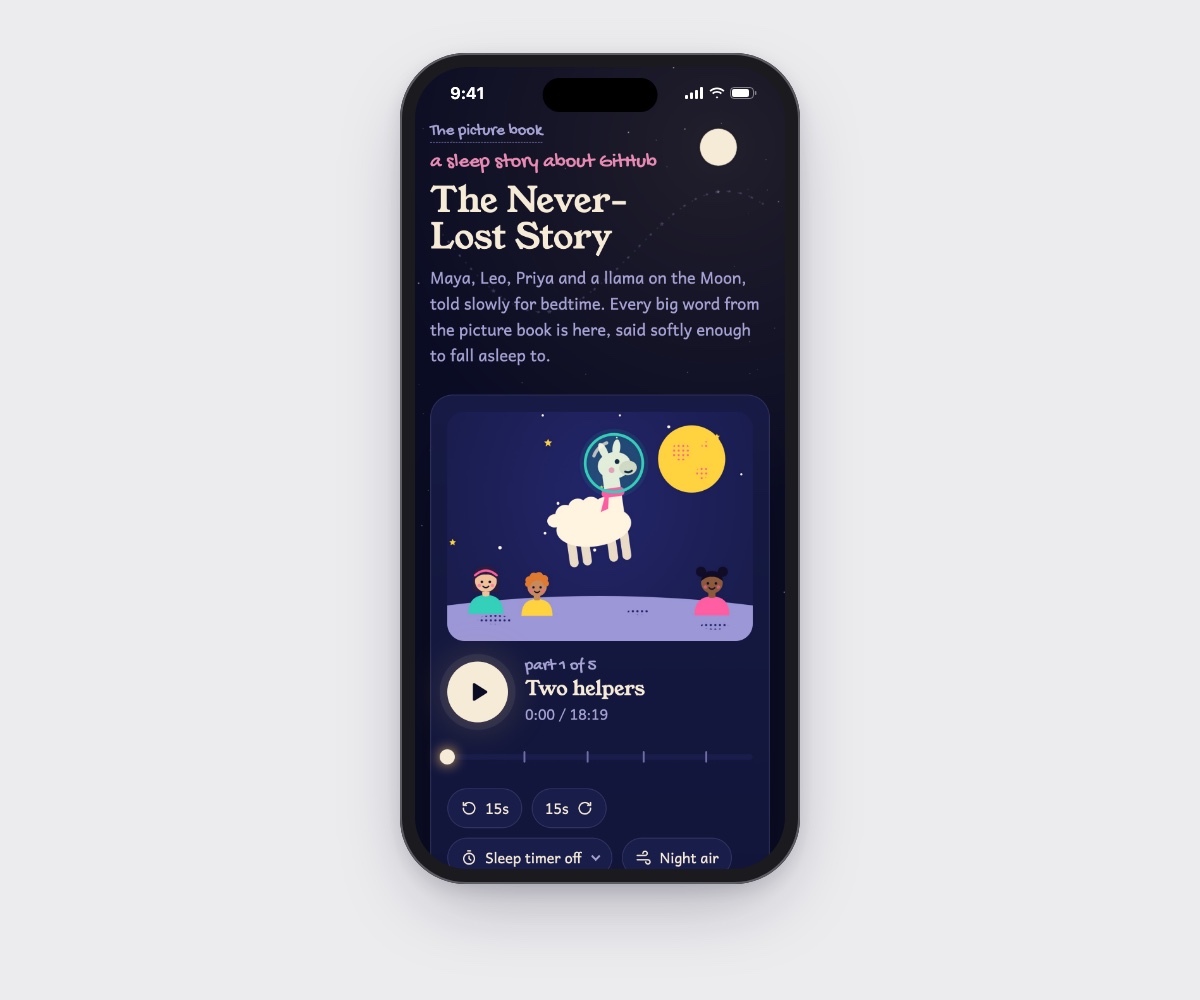
The sleep story retells the picture book slowly, as an 18-minute narration to fall asleep to. Every big word is still there, said softly, with a sleep timer, background music and a dim mode for the dark.
- A test night changed the voice. The first narrator was too crisp and too fast, more like an audiobook than a sleep story, so I designed a new one in ElevenLabs: an English woman in her 40s, soothing and easy to understand.
- Pace is part of the writing. Every pause is lengthened and the speech slowed, to about 96 words a minute, and plosive pops and mouth clicks are cleaned up.
- The sleep timer stops in a natural pause between sentences, so the voice never cuts off mid-word.
- It works like a real audio app: soft chords, a piano lullaby or night air keep playing on a locked phone, and each chapter’s picture shows on the lock screen.
Getting the content right
For beginners, an accurate demo matters more than a pretty one. A code review of the course caught two places where a lesson showed Git doing something it doesn’t do, and I fixed both before building the picture book, so every format teaches the corrected behavior.
- The push demo let Maya push while GitHub had a commit she didn’t have. Real Git refuses that push. Now pushing first gets rejected, and the lesson explains why: you pull first, so nobody’s work gets erased.
- The branch lesson drew a merge commit even though main hadn’t changed, which contradicted the later lesson on fast-forward merges. Now Maya adds a commit to main while Leo works, so the merge is a real one.
- I also checked the lesson against the words readers will actually hear at work, and added rebase, fast-forward, squash, prune and more to the glossary.
Want the full story?
I'm happy to walk through this project, the decisions behind it, and what I'd do next.